
Key Takeaways
Most UK employers screen CVs with applicant tracking software first. Learn what ATS systems look for and how to format your CV so it reaches a recruiter.
Your CV has to pass a machine before it reaches a person. Over 75 percent of medium and large UK employers, including the NHS, Civil Service, and most FTSE 100 companies, use applicant tracking software to filter applications. If your CV is not formatted for ATS parsing, it gets rejected before anyone reads it. The fix is not complicated, but it requires you to understand exactly what these systems look for and make deliberate choices about format, language, and structure from the start.
What ATS Software Actually Does
An applicant tracking system scans your CV, extracts the text, and scores it against the requirements set by the employer. It looks for keywords from the job description, checks for standard section headings it recognises, and parses your work history into structured data. Most UK employers use systems such as Workable, Greenhouse, Tribepad, or Oleeo. The Civil Service uses TalentLink and the NHS has its own system at jobs.nhs.uk. Each has slightly different behaviour, but they all share the same core weakness, which is that they struggle with complex layouts, tables, graphics, images, and unusual section names. If your CV has any of these, the parsing fails and your application may not score correctly even if your experience is a strong match.
The Right Format
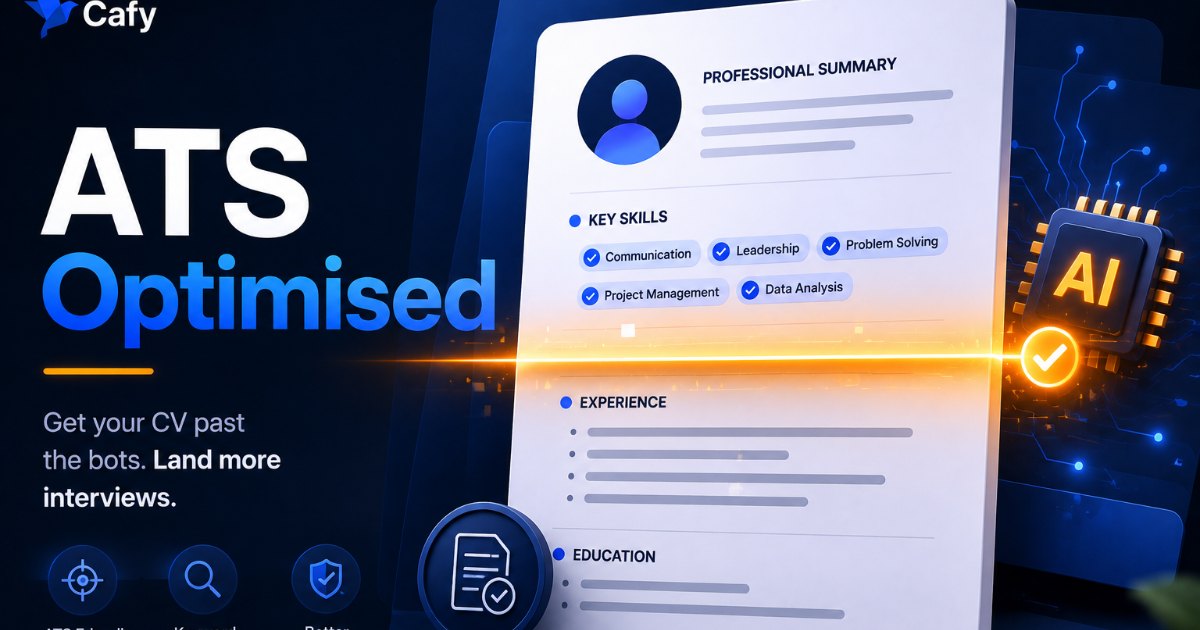
A UK CV in 2026 should be two pages maximum. New graduates with limited work history can use one page. The layout should be single column. Two-column layouts, text boxes, and headers or footers can break ATS parsing because the system reads left to right and top to bottom in a single pass. Use a clean, standard font. Keep section headings simple and recognisable, specifically Work Experience, Education, Skills, and if relevant, Certifications. These are the labels ATS systems are trained to identify. Creative alternatives like My Journey or Professional Background may look distinctive to a human reader but confuse the parser. Save the file as .docx unless the application specifically requests PDF. Across all ATS systems, .docx has the highest text-extraction success rate.
What Not to Include in a UK CV
The UK CV has specific conventions that differ from resumes in other countries. Do not include a photograph. UK employers do not expect one and including it without being asked can introduce complications in the screening process. Do not include your date of birth. UK employment law protects against age discrimination and no reputable employer asks for this at application stage. Do not include marital status, nationality, or your full home address. A city and postcode is sufficient. Do not include a career objective statement written in the third person. The personal statement or professional summary at the top of your CV should be in first person or written without a subject, concise, and tailored to the specific role.
Keyword Strategy
ATS systems score your CV against the keywords in the job description. The most effective approach is to read the job description, identify the ten to fifteen most specific terms used, and ensure they appear naturally in your CV. These are typically the job title, specific skills or software named, sector-specific terminology, and qualification descriptors. Do not repeat keywords unnaturally or list them in a separate hidden section. ATS systems have become more sophisticated and keyword stuffing often triggers a penalty flag. Instead, work the relevant terms into your work experience descriptions and skills section in a way that reads naturally to a human too. Both the machine and the person reviewing the shortlist need to be persuaded by the same document.
Your Work Experience Section
List roles in reverse chronological order, starting with your most recent position. For each role, include the job title, employer name, dates, and a short set of bullet points describing what you did and the outcomes. Keep each bullet to one clear action and result. ATS systems extract structured data from this section, so consistency matters. Use the same date format throughout. Spell out acronyms the first time you use them because the system may not recognise abbreviated versions. If you have gaps in your employment history, do not try to obscure them with unusual date formats. Recruiters who see the shortlist will notice, and unexplained gaps are a bigger concern than gaps themselves.
The Skills Section
Most candidates list a handful of software names in their skills section and leave it at that, which is a missed opportunity for both ATS and human readers. Your skills section should include technical tools and platforms relevant to the role, any languages you speak with proficiency level, and any specific methodologies or frameworks mentioned in the job description. If you are applying to sponsored roles, this section is also the right place to include any professional certifications, UK-relevant qualifications, or accreditations that signal you are ready to work at the required skill level. The RQF Level 6 threshold for Skilled Worker sponsorship from July 2025 means the role requires graduate-level competency, so your skills section should reflect that.
Adjusting to UK Conventions
There is one additional consideration for international graduates applying on a Graduate visa or expecting to need Skilled Worker sponsorship. Your CV should not raise unnecessary questions about your right to work. You do not need to detail your visa status on the CV itself. That information belongs in the cover letter. What your CV should do is ensure your UK degree and any UK work experience are clearly visible, so the reader immediately understands you have UK-based credentials and are not applying from overseas. If your degree or previous experience is from outside the UK, add a one-line equivalency note where relevant. Remove anything that signals you are in a different time zone or applying from a different country if that is not the case.
Frequently Asked Questions
Should I include my visa status on my CV?
No. Visa status belongs in the cover letter, not the CV. On the CV, ensure your UK education and any UK work experience are visible so the context is clear. The cover letter is where you briefly confirm your current status and eligibility to work.
How long should a UK graduate CV be?
One to two pages. If you are a recent graduate with limited work experience, one page is usually appropriate and easier for both ATS systems and human readers to process. Two pages is fine if every line adds relevant evidence. Beyond two pages is not standard in the UK graduate market.
Should I save my CV as PDF or Word?
Save as .docx unless the application specifically requests PDF. Across all major ATS systems, Word documents have the highest text-extraction success rate. Some ATS platforms struggle with PDF formatting, particularly if the PDF was created from a design tool rather than a word processor.
What section headings should I use?
Use standard headings that ATS systems are trained to recognise. Work Experience, Education, Skills, Certifications, and if relevant, Publications or Volunteering. Avoid creative alternatives. The heading needs to be instantly parseable by software before a human ever reads it.
Does Cafy's CV optimiser work with specific ATS systems?
Cafy's AI CV optimiser is built around the requirements of the UK graduate job market and is designed to help your CV pass the systems commonly used by UK employers. It also flags keyword gaps against specific job descriptions so you can tailor each application. You can access it at cafy.careers.
Frequently Asked Questions
No. Visa status belongs in the cover letter, not the CV. On the CV, ensure your UK education and any UK work experience are visible so the context is clear. The cover letter is where you briefly confirm your current status and eligibility to work.
One to two pages. If you are a recent graduate with limited work experience, one page is usually appropriate and easier for both ATS systems and human readers to process. Two pages is fine if every line adds relevant evidence. Beyond two pages is not standard in the UK graduate market.
Save as .docx unless the application specifically requests PDF. Across all major ATS systems, Word documents have the highest text-extraction success rate. Some ATS platforms struggle with PDF formatting, particularly if the PDF was created from a design tool rather than a word processor.
Use standard headings that ATS systems are trained to recognise. Work Experience, Education, Skills, Certifications, and if relevant, Publications or Volunteering. Avoid creative alternatives. The heading needs to be instantly parseable by software before a human ever reads it.
Cafy's AI CV optimiser is built around the requirements of the UK graduate job market and is designed to help your CV pass the systems commonly used by UK employers. It also flags keyword gaps against specific job descriptions so you can tailor each application. You can access it at cafy.careers.
More guides on CV, ATS and applications
- Best AI CV Builder in the UK for 2026: CV and ATS Guide
- How to Write a UK Cover Letter: Format, Length and Structure
- UK Graduate Interview Preparation: STAR, Questions and Tips
- Why UK Job Applications Get No Reply and How to Fix It
Tools for this step: AI CV builder, ATS CV checker and Cover letter generator.
Sources
- Graduate visa (GOV.UK)
This article is for informational purposes only and does not constitute legal or immigration advice. Rules change frequently - always check the current gov.uk guidance or speak to a qualified immigration adviser before making any decisions.